 Log In

How to collect MoneyBack Points?
(Applicable to 5G Broadband customers)
Register MoneyBack App account
Applicable to customers who registered 5G Broadband online
Click here to download MoneyBack App and register a MoneyBack App account with the 5G Broadband account contact number. You may use this contact number to receive SMS for OTP and 3SUPREME App activation.
Other 5G Broadband customers
Click here to download MoneyBack App and register a MoneyBack App account with the 5G Broadband mobile number. You may insert the 5G Broadband SIM card in your mobile phone to receive SMS for OTP and 3SUPREME App activation.
Link up MoneyBack App account with 3SUPREME App
1
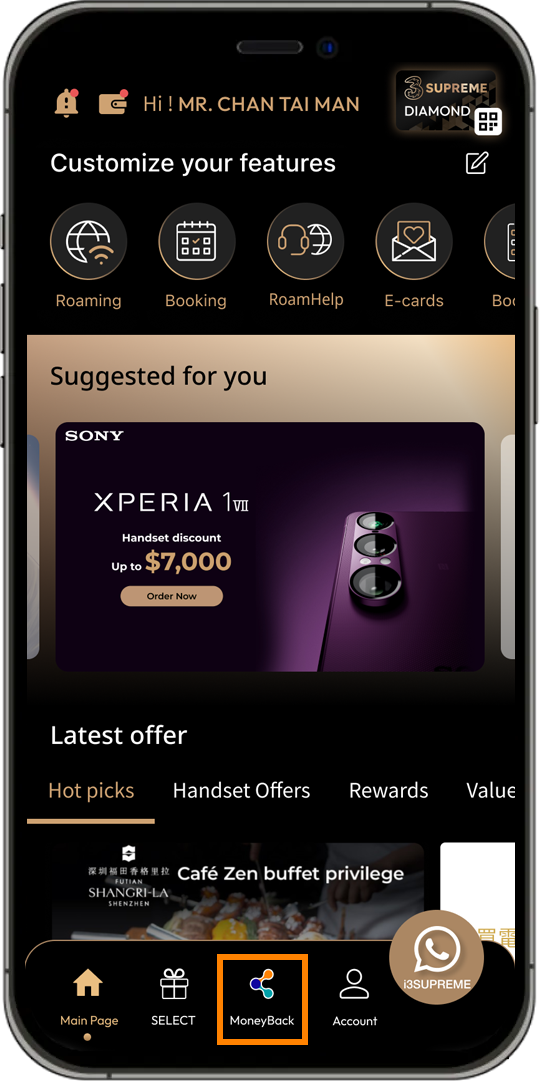
Login to 3SUPREME App and click “MoneyBack”, or
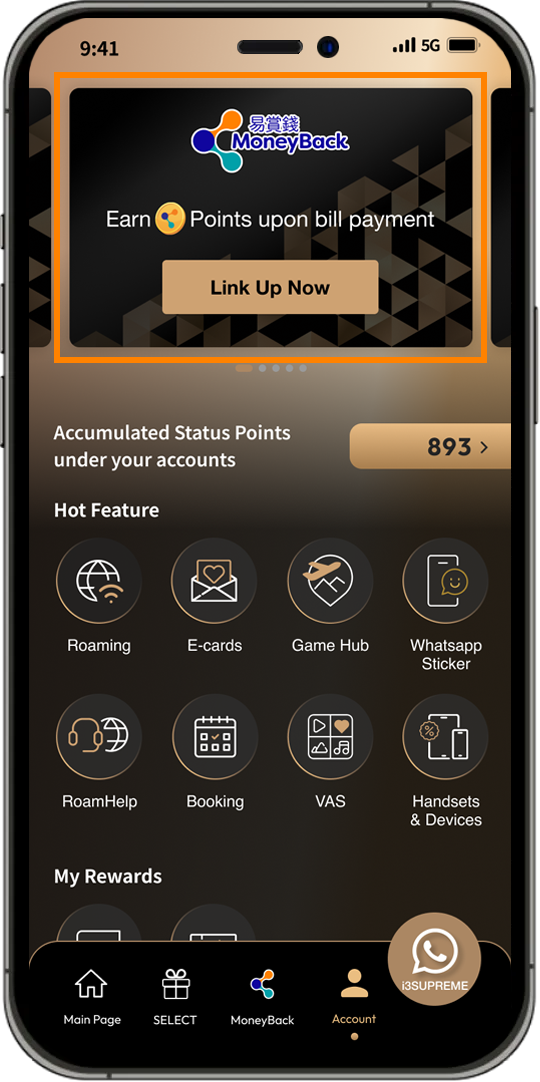
Login to 3SUPREME App and click “Link Up Now” on the account page
2
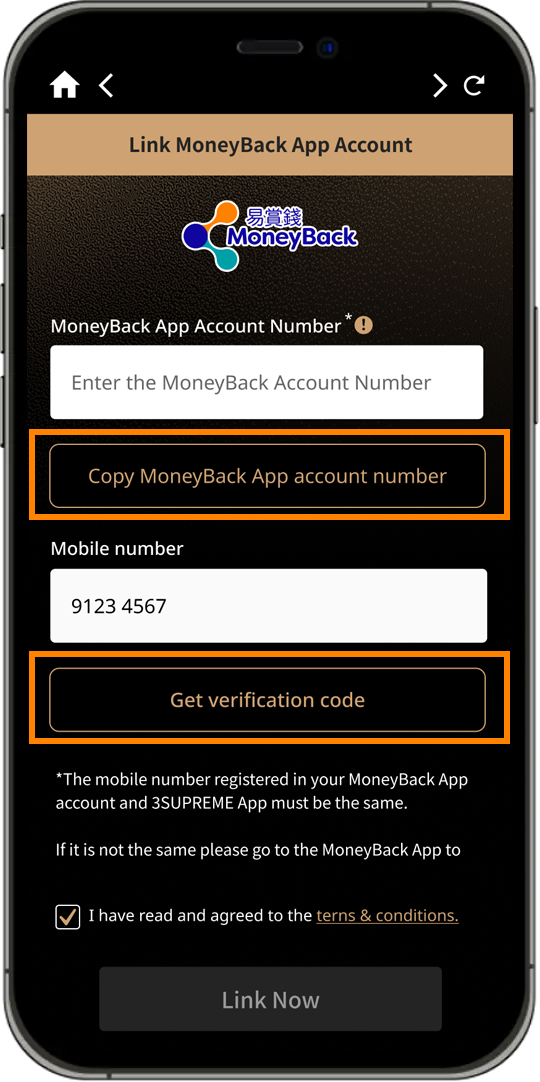
Click “Copy MoneyBack App account number” to copy your MoneyBack App account in MoneyBack App, return to 3SUPREME App and input MoneyBack App account. Click “Get verification code"
*The MoneyBack App account you are linked to must be registered with the same mobile phone number as 3SUPREME App account. If they are not the same, you can update the registered mobile phone number of MoneyBack App account, or create a new MoneyBack App account with the same mobile phone number as 3SUPREME App account.
*The MoneyBack App account you are linked to must be registered with the same mobile phone number as 3SUPREME App account. If they are not the same, you can update the registered mobile phone number of MoneyBack App account, or create a new MoneyBack App account with the same mobile phone number as 3SUPREME App account.
3
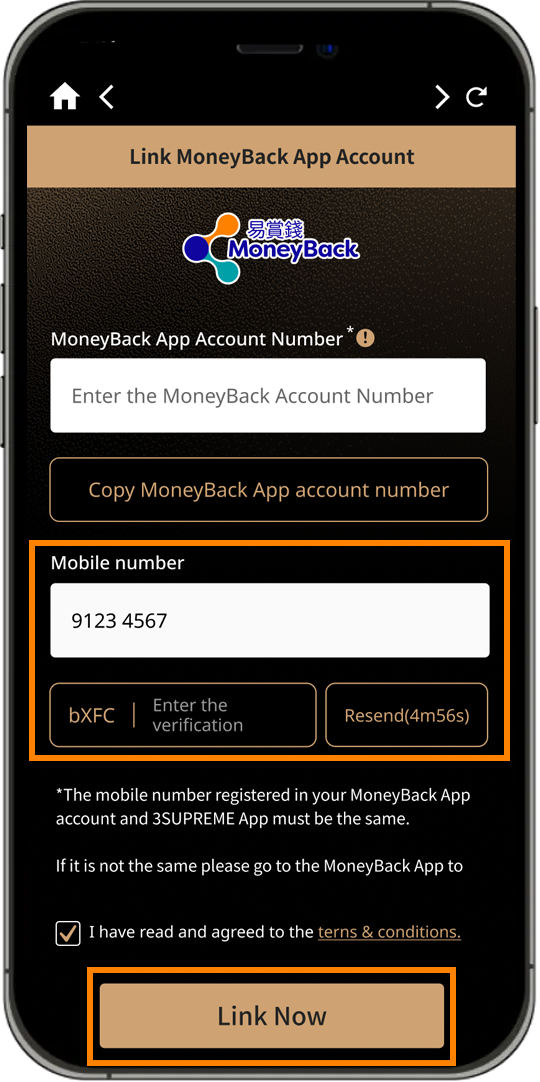
Copy and input the Verification code once received the SMS. Click "Link Now"
4
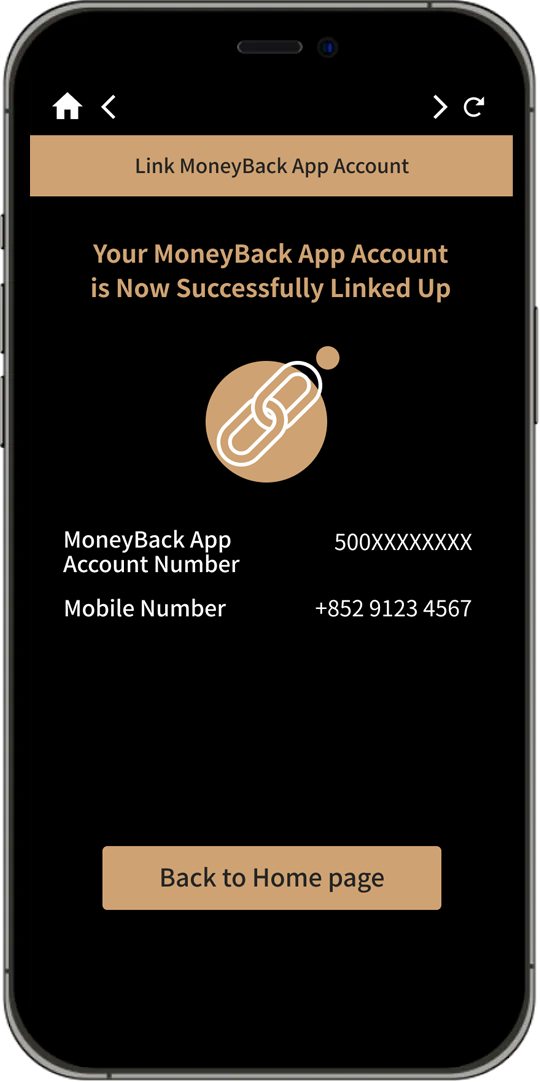
Linked successfully. Click "Back to Home page" to return to index
Collect MoneyBack Points
1
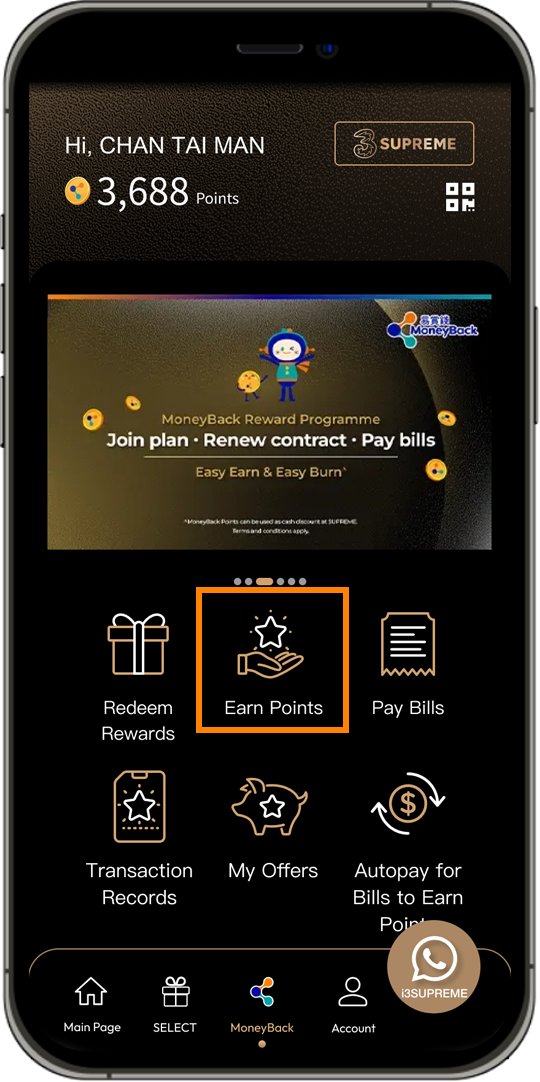
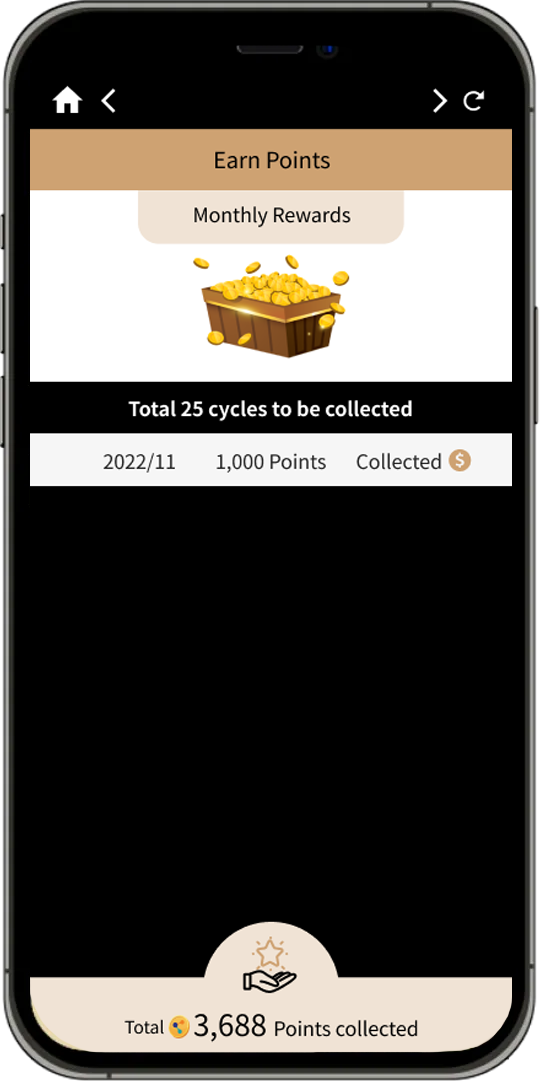
Click "Earn Points" at MoneyBack points rewards homepage
2
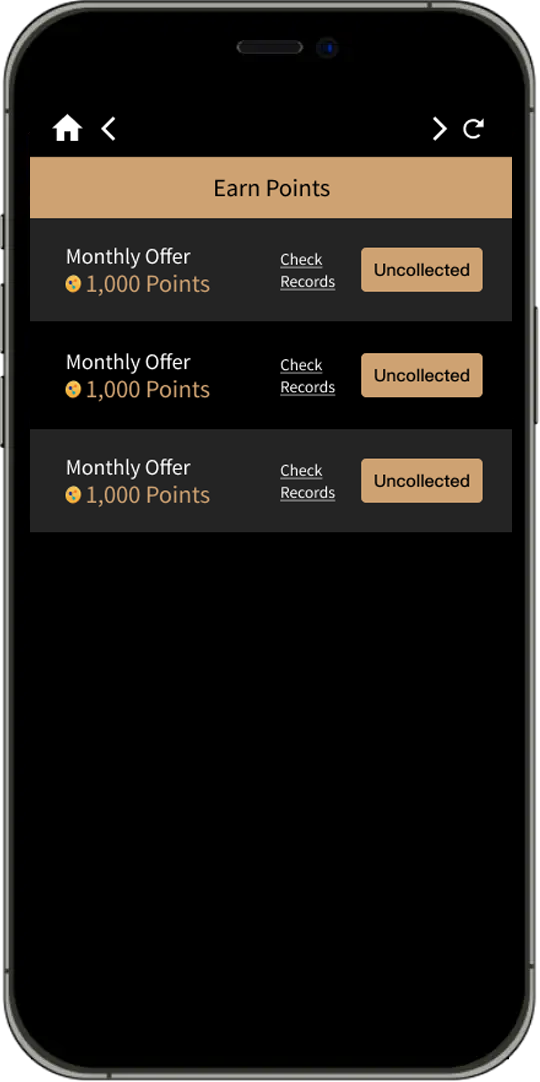
Click "Uncollected"
3
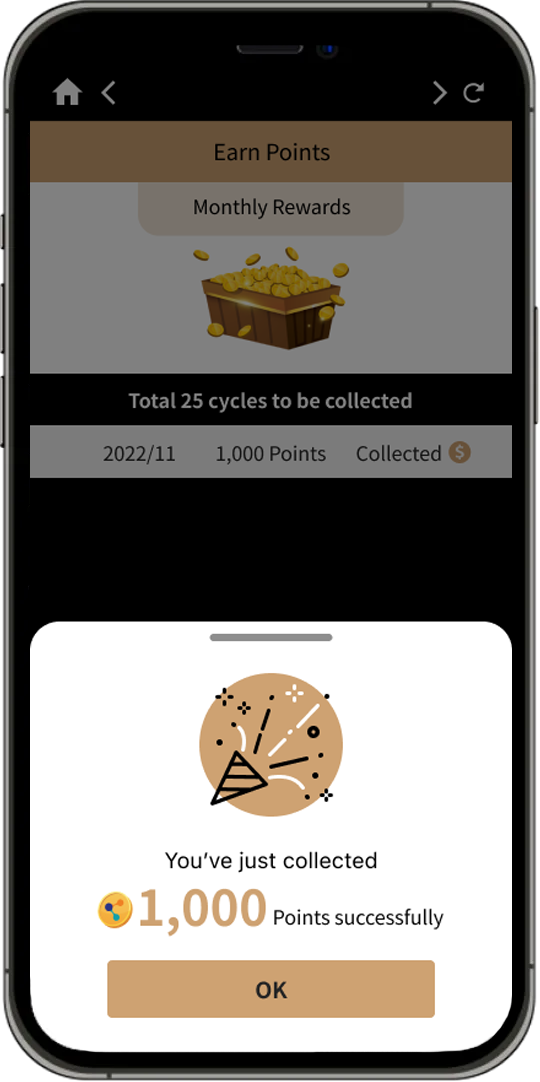
MoneyBack points are collected successfully
4
Collected history can be checked in "Check Records"
